Government Information Security
Two factor authentication to protect classified data
Protect highly sensitive or classified government and defense data and support tight comliance requirements, without sacrificing ease of use or slowing down employees.
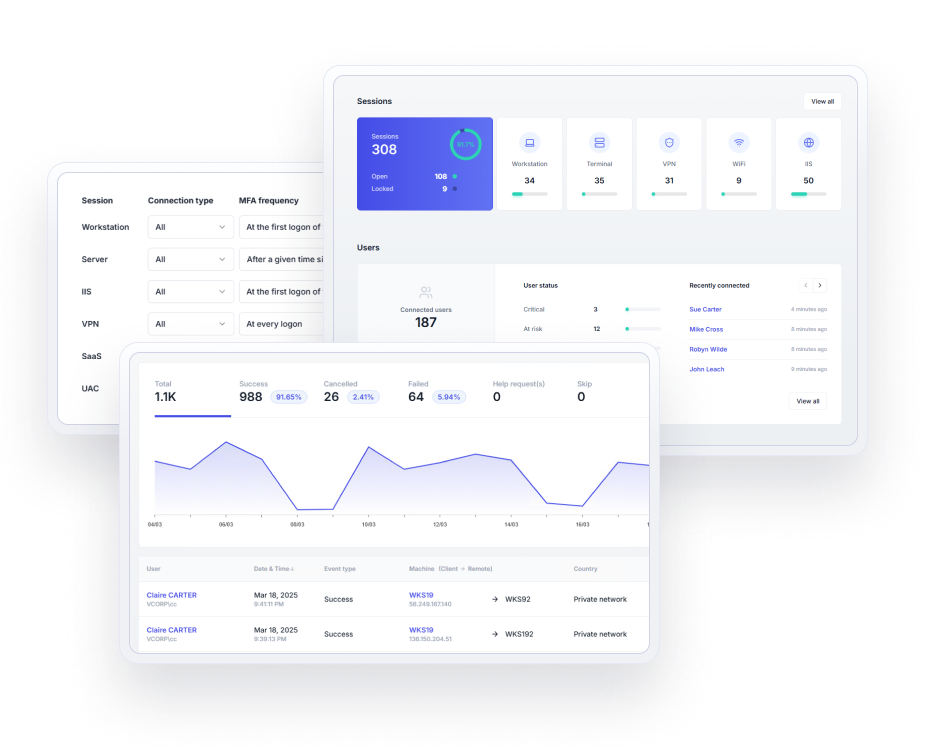
Verify identity and control access to classified data
Government agencies and defense organizations need to be certain that access to highly sensitive or classified information is available only to authorized users, and on a need-to-know basis.
UserLock verifies the Active Directory identity, allows for role-based and context-based network access controls, and alerts IT on unauthorized activity at the point of access.
)
)
Two-factor authentication
Verify user identity and prevent unwanted access to highly secure and classified networks. Enable Active Directory MFA on Windows logon, remote access (RD Gateway, RDP, RemoteApp), IIS, VPN, and SaaS connections. Maintain policies in offline and airgapped scenarios.
)
)
Single sign-on
Give users secure, frictionless access to Microsoft 365 and other SaaS apps with SAML-federated authentication for Microsoft Active Directory (AD) identities. With UserLock's Active Directory SSO, you can retain AD as the authoritative identity provider while extending it to work securely with the cloud.
)
)
Automated access controls
Set context-aware access rules to automatically block access from an unauthorized location, IP address, time, device, or connection type.
)
)
Remote session management
Monitor all user activity in real time, and remotely interact with any session to block or log off the user.
)
)
Centralized auditing & reports
Review accurate logs and create reports for security and regulatory compliance audits that pull together who was connected, from which systems, at what time, and for how long.
Stop security breaches and non-compliance issues
Stop breaches from compromised logins
Ensure that compromised employee logins stemming from careless behavior or exploited users are useless to malicious insiders or would-be external attackers.
Control concurrent sessions and logons
Enforce a single logon and single session access to stop users from sharing logins, leaving shared workstations unlocked, or from logging into multiple computers simultaneously.
Attribute network actions to an individual
Attribute access to one individual. Discourage malicious actions and make all users more careful with their trusted access.
Why government agencies and defense organizations choose UserLock
Meet strict compliance requirements
Prove that access to the network is identifiable, audited, and attributed to an individual user.
Protect any Windows account with privileged access
Set tight access rules for privileged access and adapt security to risk level across all user accounts.
Overcome the security risk in Active Directory single sign-on (SSO)
Apply non-disruptive security for SaaS access that keeps authentication on-premises.
Keep security lightweight for end users
Verify user identity as part of the native Windows logon process. Granular policies allow IT to balance security and productivity.
Deploy fast and scale effortlessly
Set up and add new users quickly since UserLock works alongside your existing Active Directory. Apply controls at the AD Group level for large user bases and supplement with individual user rules.
Involve employees for better network security
Warn end-users in real time of all connection events involving their network credentials. Help employees assess for themselves any suspicious activity involving their own trusted access.
Read the case studyBuilt for on-premises AD
UserLock is one of the few solutions in the world that keeps everything on-premises. ”
Security Architect
:quality(90))
Read the case studyUserLock makes our life easier thanks to the simplicity of its implementation and use.
Mathieu Vandal
Chief Technician and System Administrator | City of Trois-Rivières, Quebec, Canada
:quality(90))
Read the case studyAffordable, easy to use with Active Directory
UserLock allows us to have a single 2FA solution for all of our users. It integrates easily with Active Directory and is simple to install and maintain. It's an IT manager's dream. ”
Bill Hopkins
IT Director | City of Keizer, Oregon

Reviewed on

:quality(90))
:quality(90))
:quality(90))
:quality(90))
:quality(90))
:quality(90))
:quality(90))
:quality(90))
:quality(90))
:quality(90))