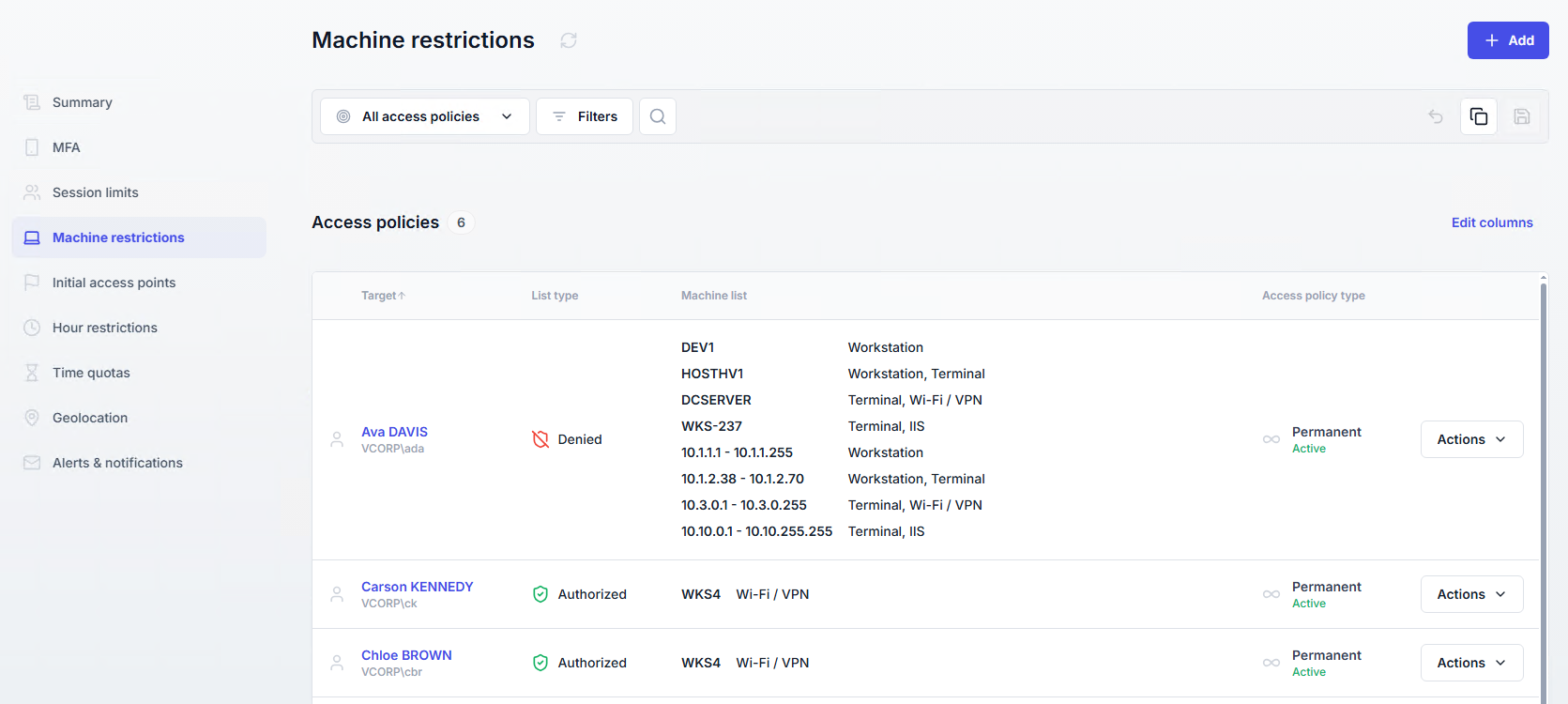
Machine restrictions
Machine restrictions control from which machines users are allowed or denied logon.
Useful resources
Ensure sensitive accounts (e.g., administrators, finance) can log on only from secured or dedicated machines.
Prevent users from connecting from unmanaged or shared devices.
Restrict VPN or terminal sessions to specific sets of machines.
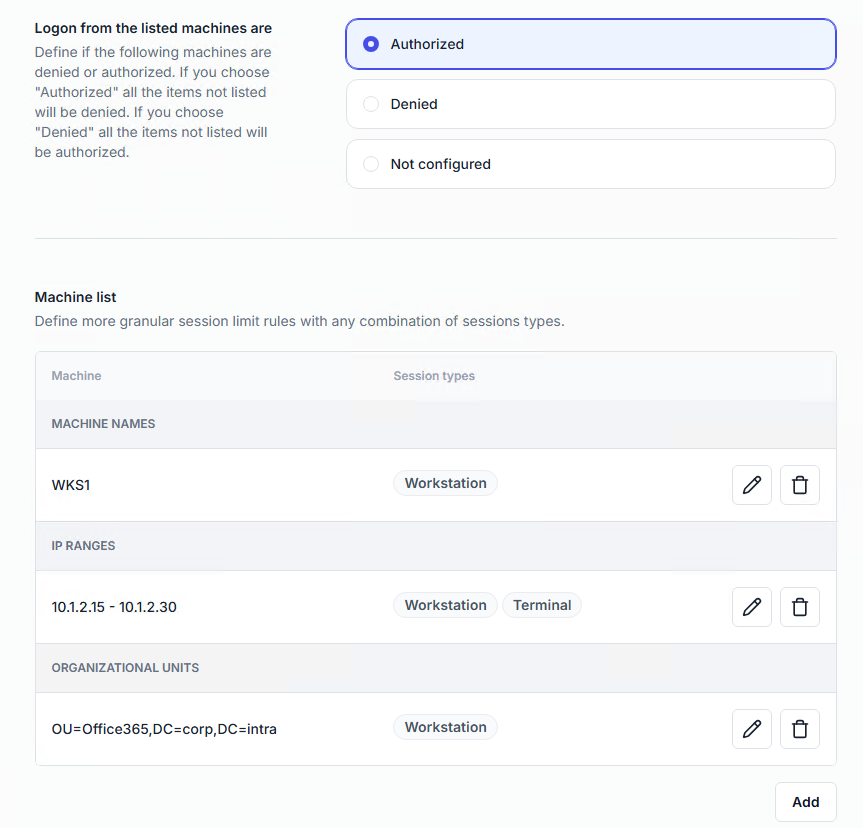
Policies can target individual users, groups, or organizational units.
Modes available:
Authorized → Logon is allowed only from the listed machines.
Denied → Logon is blocked from the listed machines.
Machines can be added by:
Machine name (manual entry or LDAP search).
IP range (start and end IP included).
Organizational unit (select via LDAP).
Restrictions can apply per session type (workstation, terminal, Wi-Fi/VPN, IIS, UAC), whatever the method used to add machines. SaaS is available only when machines are added by IP range.
For Wi-Fi sessions, restrictions are enforced using MAC addresses.
For other session types, restrictions use IP addresses and, when available, NetBIOS names.
Best practice
Use Authorized mode for high-security accounts, as it provides stricter control.
A list of all machine restriction policies is available in the Access Policies section, under the Machine restrictions page.