Session limits
Session limits define how many concurrent sessions a user can open, and of which type.
Useful resources
Restrict the number of concurrent sessions a user can have.
Completely block certain session types (e.g., forbid VPN by setting the limit to 0).
Apply different limits depending on session type (e.g., 2 workstations + 1 VPN).
Reduce risks linked to multiple forgotten or unattended sessions.
Prevent specific users from validating Windows UAC elevation prompts by setting UAC to Denied. See UAC prompts.
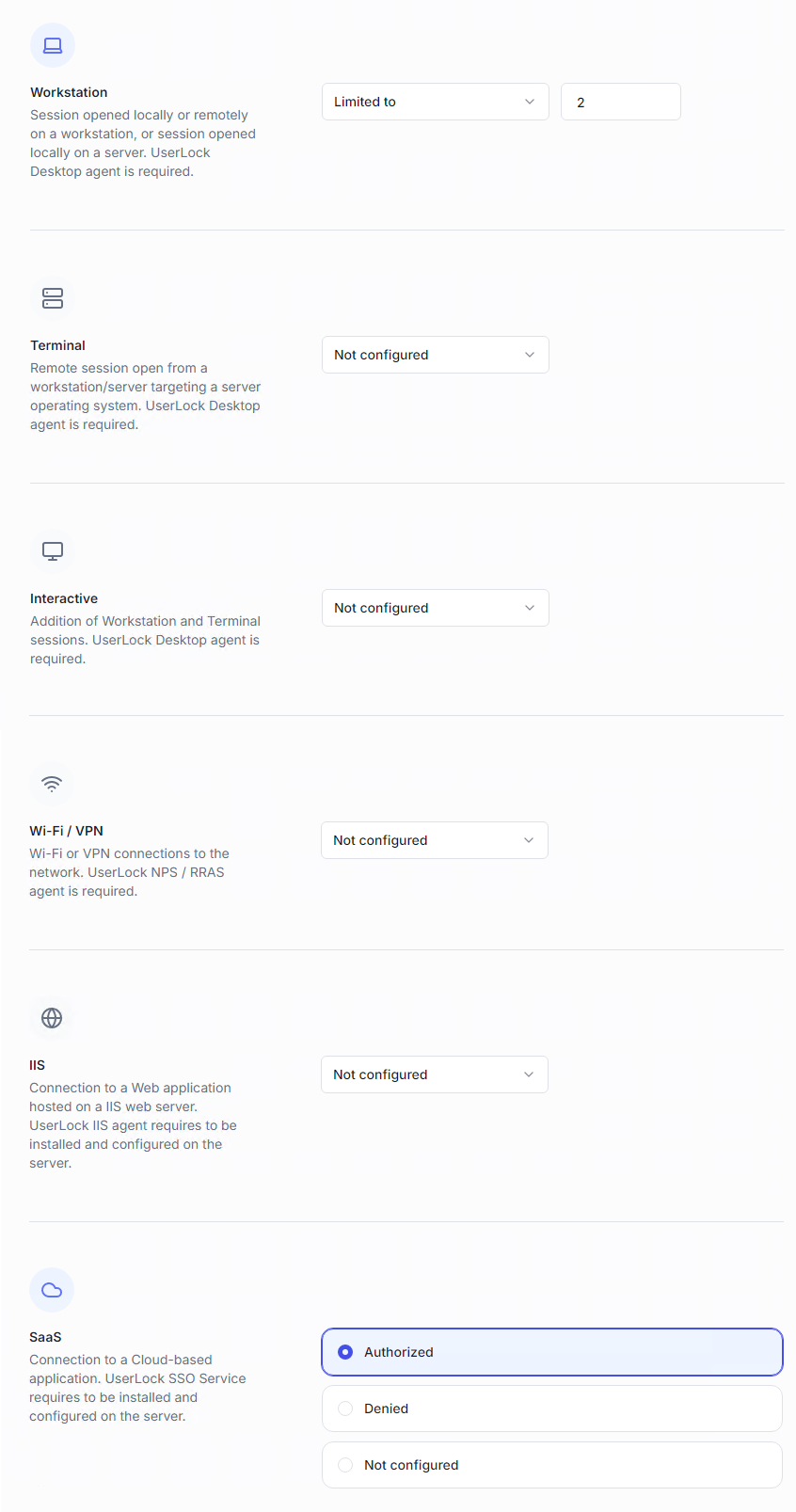
For each session type (Workstation, Terminal, Interactive, Wi-Fi/VPN, IIS), you can set:
Not configured → no limit, unless inherited from another policy.
Unlimited → no restriction.
Limited to → maximum number of sessions allowed (0 = forbidden).
Interactive sessions = combined total of Workstation + Terminal sessions.
SaaS and UAC do not use numeric limits: you choose Not configured, Authorized or Denied.
UAC covers connections that require Windows User Account Control elevation. It requires the UserLock Desktop agent on the machine.
Group limits: when applied to a group or OU, the limit applies collectively to all members (total sessions across the group).
Advanced options:
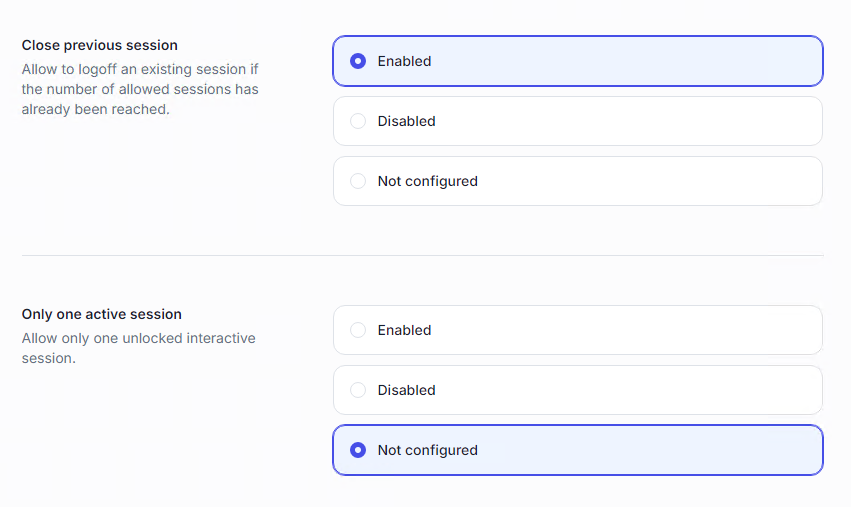
Close previous session → allows a user to remotely log off an existing session to open a new one. Warning: forced logoff means unsaved work is lost.
Only one active session → the user can keep only one interactive session active at a time. Any other will be automatically locked/disconnected.
Custom session limits → define a total limit across multiple selected session types (e.g., max 5 sessions including workstation + terminal + VPN). SaaS and UAC are not available in custom session limits.
Note
This policy can be combined with Initial access points for stronger control.
Example: limit to 2 initial access points + 5 total sessions → the user can connect from two machines, but cannot exceed five sessions in total.
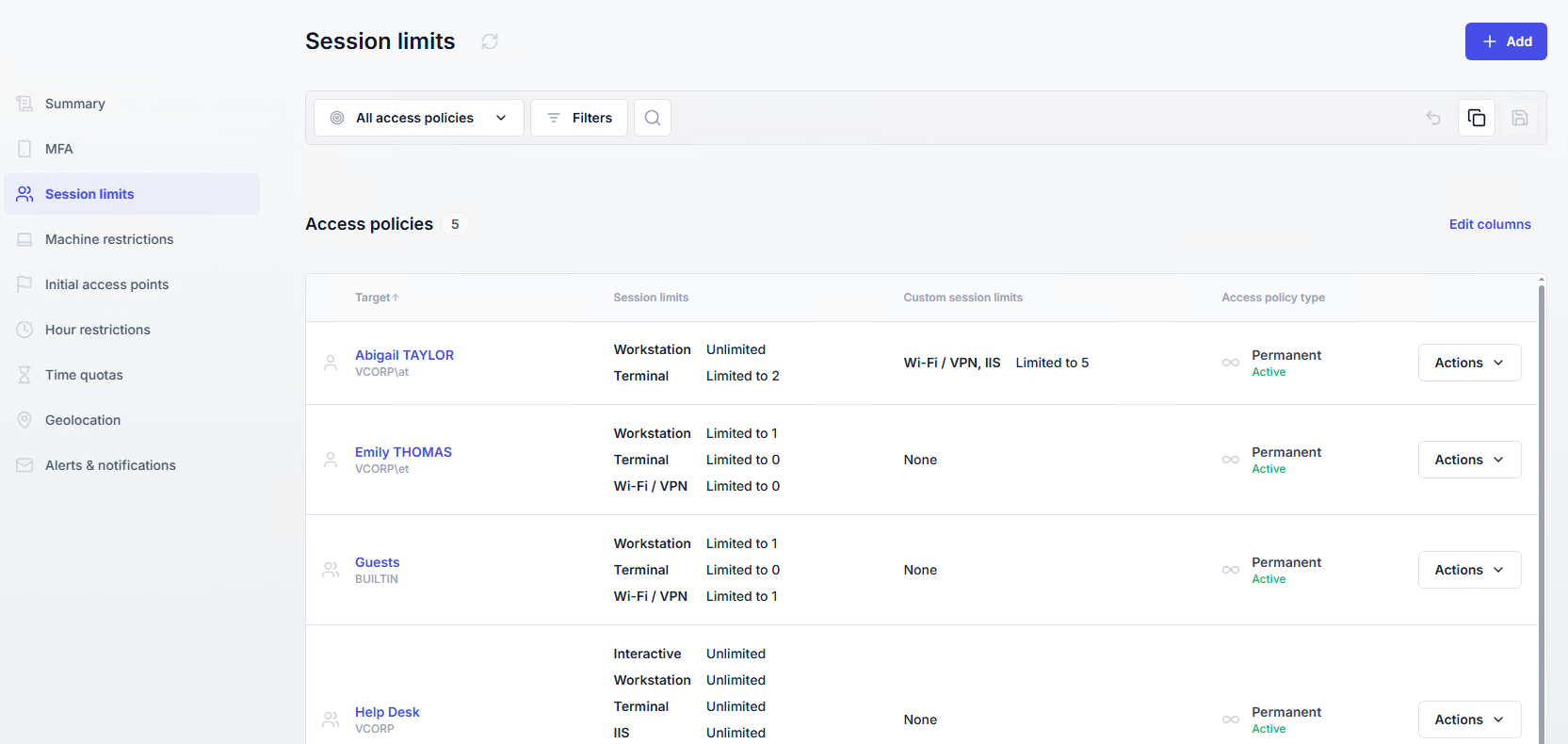
A list of all session limit policies is available in the Access Policies section, under the Session limits page.