Machines
Configure how UserLock deploys the Desktop agent across the protected zone and how machines behave when a reboot is triggered.
Note
To access this page, go to Server settings ▸ Machines.
You need at least read permission on Machines and agents to view this page, and write permission to change its settings.
This page is only available on the primary UserLock server.
All settings described below are grouped under Options on the page, except the protected zone, which has its own section.
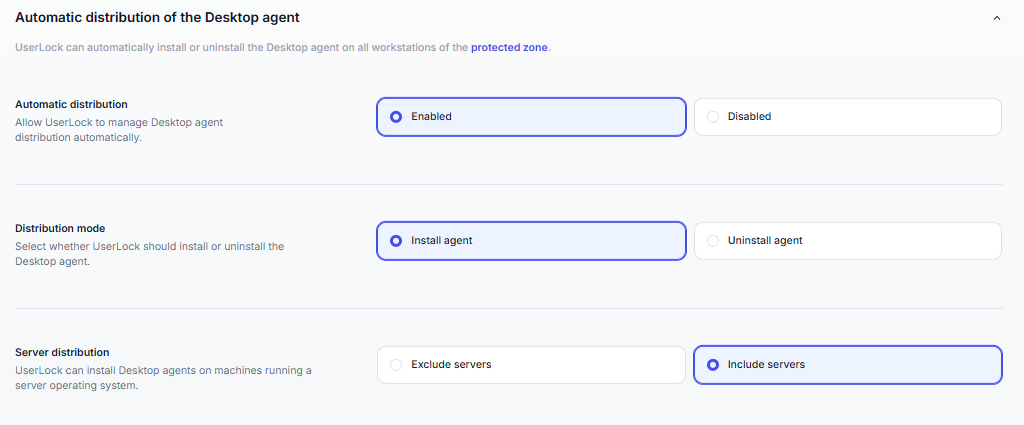
UserLock can install, update or uninstall the Desktop agent automatically on machines in the protected zone.
Mode | Workstations | Servers |
|---|---|---|
Disabled (default) | No action | No action |
Install the Desktop agent on workstations | Install or update | No action |
Install the Desktop agent on workstations and servers | Install or update | Install or update |
Uninstall the Desktop agent | Uninstall | Uninstall |
The selected mode also applies to new machines as they join the protected zone. UserLock processes machines one at a time: a full rollout can take a while if you have many machines or some are offline.
Automatic deployment requires the following:
The UserLock service account must have elevated privileges on target machines. You configure it in Server settings ▸ Service ▸ Service Impersonation.
Target machines must meet the UserLock requirements for network services, permissions and protocols.
Note
Automatic deployment does not install the NPS agent or the IIS agent.
To deploy the Desktop agent with Group Policy or a third-party tool, use the MSI packages.

To install the Desktop agent, UserLock needs the Remote Registry service to be running on the target machine. When this setting is enabled, UserLock starts the service if it is stopped when a deployment is attempted. (Default: Disabled)
Enabling it is recommended: it avoids deployment failures on machines where the service is stopped.
Note
You can also turn on this setting from the Fix it for me button. That button appears in the admin action result dialog after an installation fails.
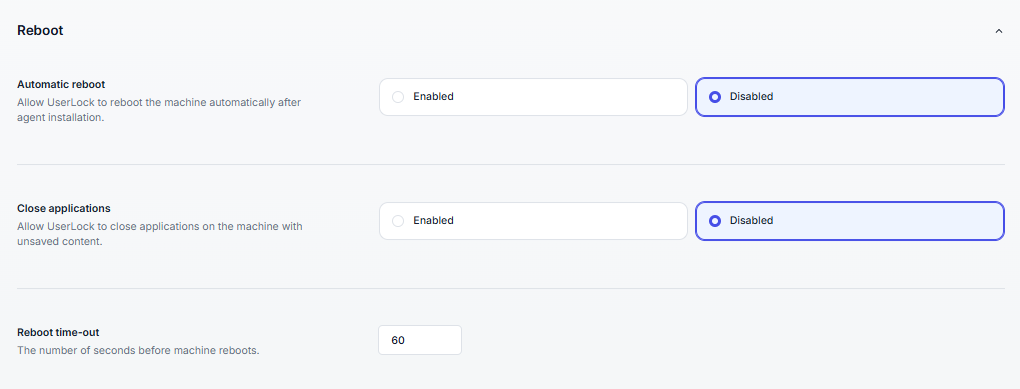
These settings apply when UserLock restarts a machine: when an administrator runs Restart from an admin action, or when a restart follows the installation or uninstallation of the Desktop agent.
Setting | Description |
|---|---|
Close applications on reboot | Closes applications before the machine reboots, even if they contain unsaved content. (Default: Disabled) |
Reboot delay | How long UserLock waits, in seconds, before the machine reboots. A warning message is shown to the user during this delay. Accepted values: 0 to 65535. (Default: 60 seconds) |
The warning message is the Shutdown message. You can customize it in Server settings ▸ Messages ▸ Computer commands.
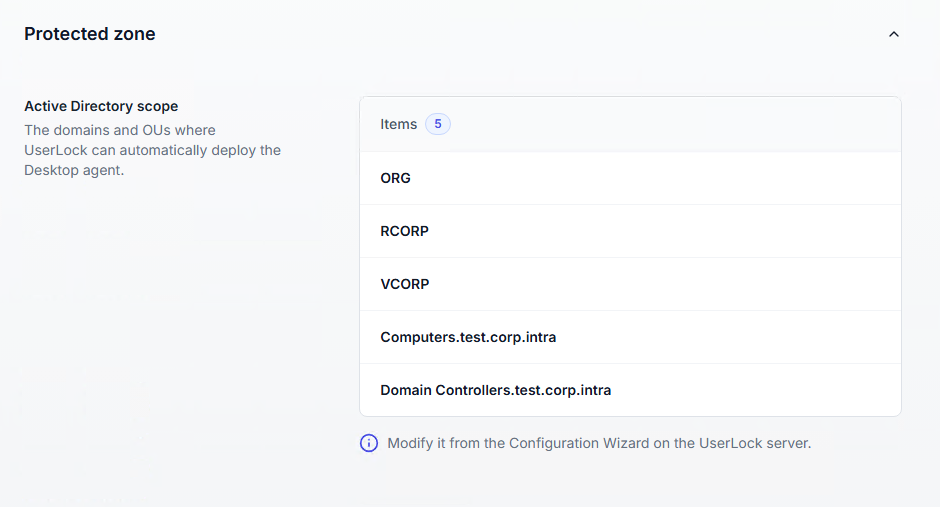
The Active Directory scope table lists the domains and organizational units where UserLock can deploy the Desktop agent automatically. The table header shows how many items it contains.
By default, the whole Active Directory is selected and the table shows All.
The scope is read-only on this page. To change it, run the Configuration Wizard on the UserLock server. See Select the protected zone in Installing UserLock.